
Badge
What is the badge?
It is a small (hold in your hand small) electronic device that does things and can be added on to. It can be used to control other things, or used on its own.
It's called a badge because they were originally used instead of a paper or card pass on a lanyard to display people's names and show they were an attendee of a conference. They've since developed into all sorts of forms!
Ours is called the Tildagon because the EMF sign is a tilde (one of these ~) and it's in the shape of a hexagon. When we say badge here, we mean the Tildagon.
What can you do with it?
You can use it on its own to display your name, you can add games or gadgets to it, and you can plug in extra things (Hexpansions) to make it do even more! You can write your own programs for it in MicroPython and upload them with a USB cable.
Some things you can currently do with the Tildagon:
- Display your name
- Show a Pride flag
- Play a pocket-monster catching game
- Make pixel art
- Show what's on the bar menu
- Use it as a spirit level
- Show a clock
- Control some of the installations
- Battle a friend with another badge
- Turn it into a mobile disco light
... and many more!
Have a look at the App Store for more ideas
Do I need one?
You don't need one to attend, as you will be given a wristband to show you belong at the festival. Badges will not be available to buy on-site, so you'll need to make the decision beforehand and pre-order. Spare badges are generally easy to re-sell, especially since we intend to re-use the Tildagon in future years.
There are some games and installations which use the badge as a controller, but if you don't have your own you might be able to find a friendly attendee who can let you have a go with theirs.
If you are excited by small electronic devices, then you probably want one. If you've been meaning to learn to program, or teach people about the fun side of coding for physical objects, then you'll probably want one.
Where do I order my badge?
You can order a badge here:
Which badge bits do I need?
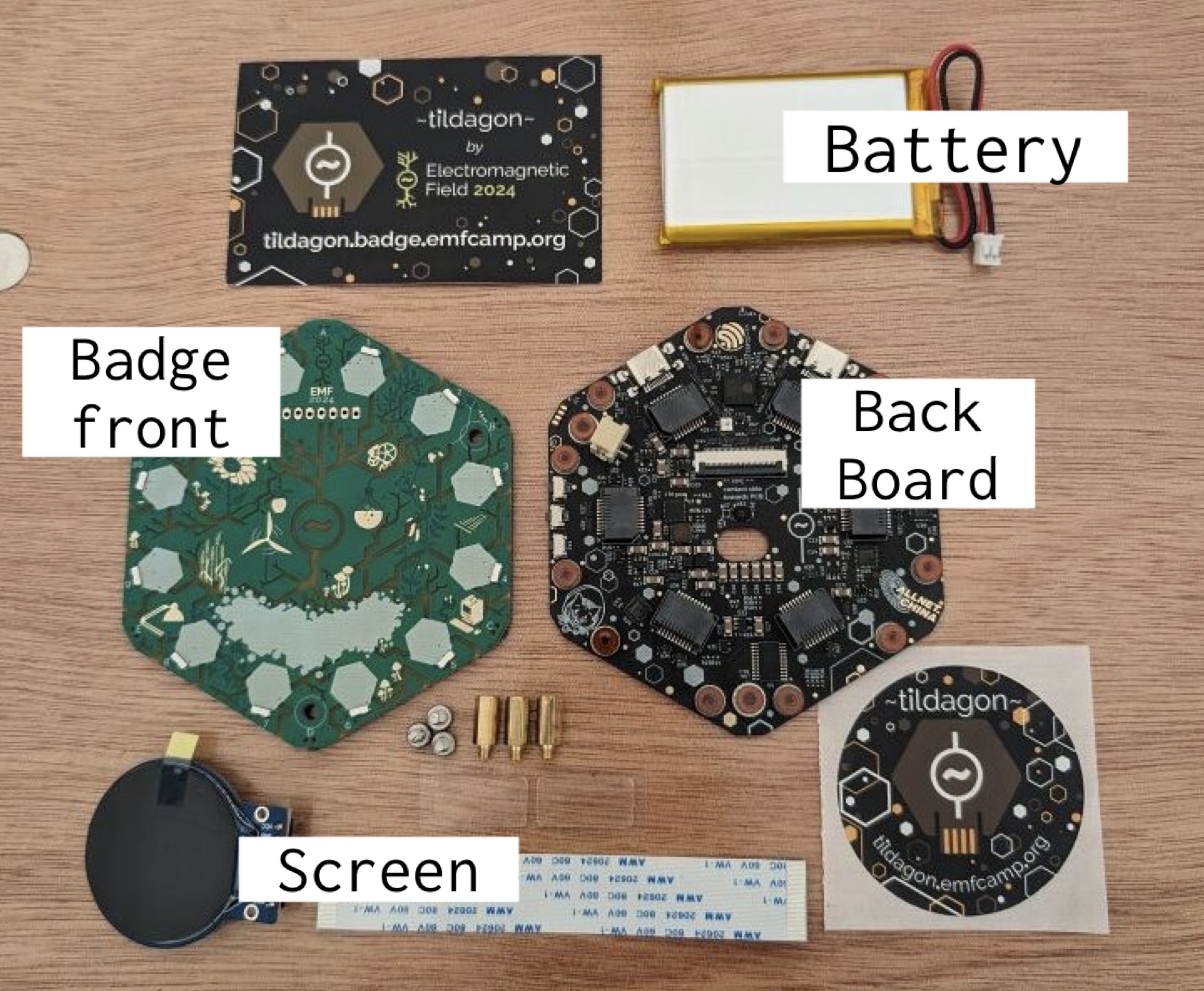
Your choices are:
- Complete Tildagon badge - this gets you the badge back (the brains or microcontroller) and this year's front board (display and buttons). You need both parts for a fully working badge. This also comes with a battery so it's all you need to get started.
- Spaceagon front board kit - this is for people who already have the badge from last time, it means they can swap the front from last time's solarpunk design to this time's space themed design, and have access to doing slightly different things. You do not need to order this if you've gone for the complete kit.
- Keyboard Expansion - this is a mini keyboard that plugs in to one of the side plugs and allows you to type things directly to your badge. It's not necessary, but if you want to use your badge as a messaging device it could be handy.
The available replacement parts are:
- Backboard (replacement) - this is the back bit of the badge (the brains or microcontroller) without the front bit, for people who may have damaged, lost, or released the magic blue smoke from their old one. You do not need it if you have ordered the complete kit.
- Screen (replacement) - this is a small round screen for the badge for people who might have damaged their screen in some way. You do not need it if you have ordered the complete kit.
- Battery (replacement) - this is for people who want a spare battery, or have lost their old one. You do not need it if you have ordered the complete kit but you may want a spare, so this is up to you.
IMPORTANT: You will need to supply your own USB C-C cable if you want to connect your badge to a computer to program it, or to hang it around your neck and wear it.
What is a "Hexpansion"?
Around the outside of the hexagon shape of the Tildagon are some little plug sockets, where you can plug in various expansion devices. Some are just for fun and do nothing other than look pretty, like cat ears, or a rubber duck, or even an emergency bottle of spicy sauce. Others allow you to add sensors, lights, extra displays, motors, or even a keyboard.
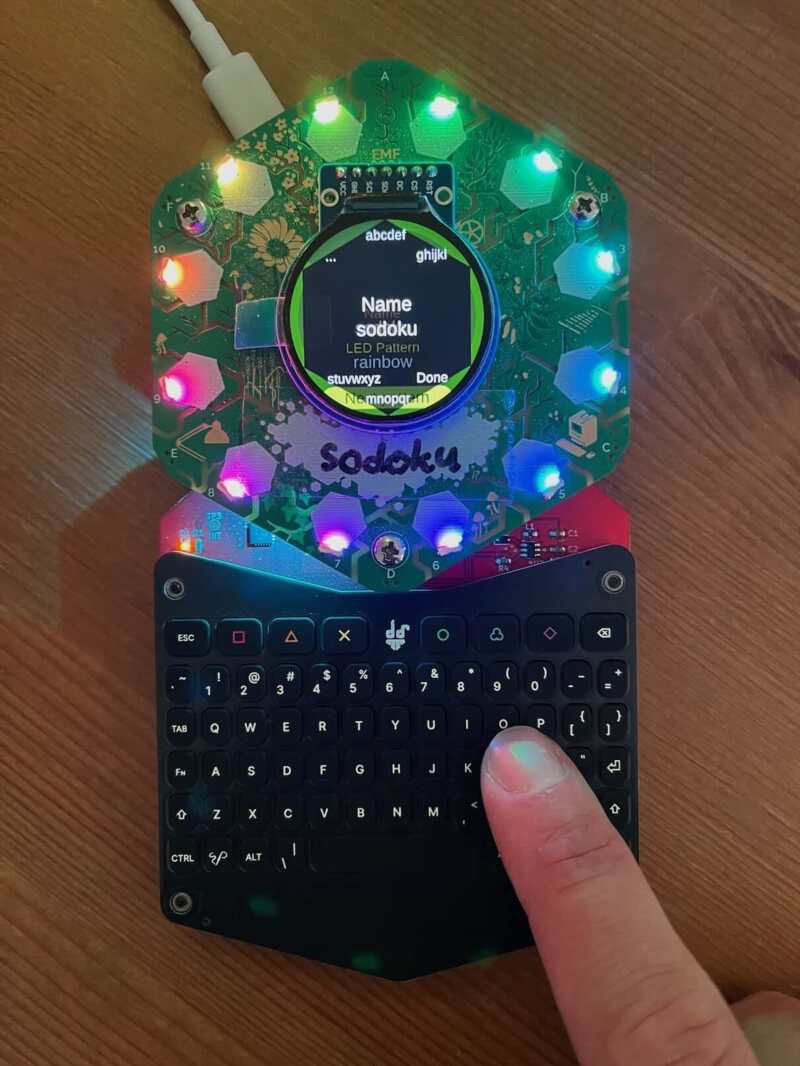
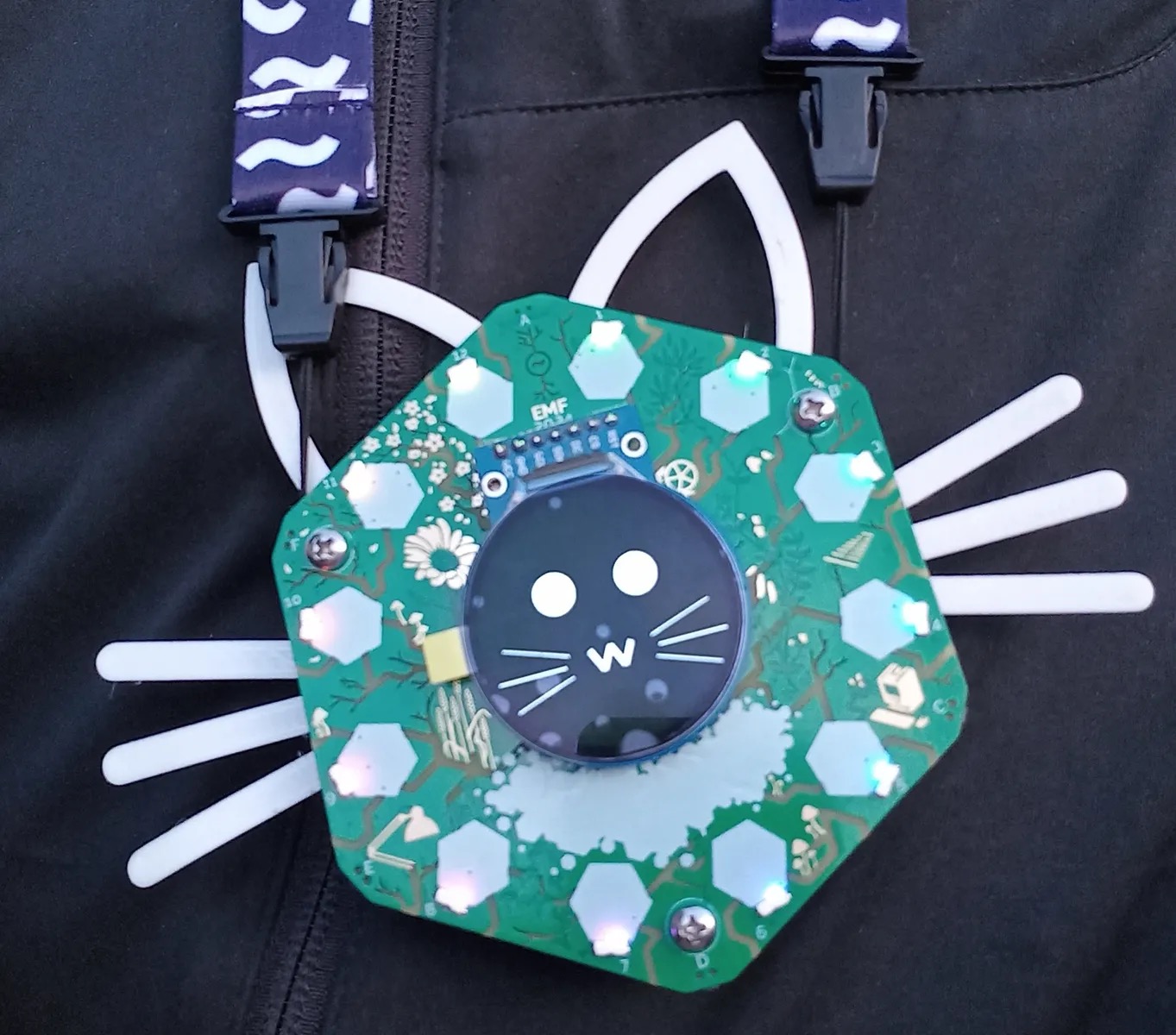
See Hexpansion examples and documentation
Where do I get Hexpansions?
There will be a market on the dance floor in NullSector on Saturday 2-4pm and Sunday 10am-12pm for people who have made Hexpansions to bring and sell or swap them and for other attendees to buy or swap for them.
You might also meet other attendees around the festival site who are carrying Hexpansions with them as little tokens to swap - perhaps you may be able to swap for some of your own stickers, token coins, or other home-made goods (think treasures a magpie would love and you're mostly there).
Can I make my own Hexpansion?
Of course you can! There is a guide here that should contain all you need to know, including measurements and electrical connections if you are going to use them. If it's your first time making an electronic Hexpansion (or even if you're a seasoned pro) you should test it first to make sure it won't damage people's badges, or you are not going to be popular.
If you are making one at home or on camp, the easiest way is to cut a piece of 1mm thick card (a cereal box will do) into the right shape and glue things to the bit of card that sticks out. Googly eyes are a particular favourite.
How do I add apps to the badge?
You will need to connect to the Wi-Fi with just your badge. If you can work an App Store on your phone, you can work an App Store on the badge.
The buttons around the outside are used to operate the menu. If you hold the badge so the screen is the right way up, the one above it is button A, then going round clockwise you get B, C, D, E and finally F before you're back round.
- A: Scroll up
- D: Scroll down
- C: Select
- F: Back
What's the badge App Store?
It is a place people can upload their apps (little programs) for the badge, and anyone else can download and use them. It costs nothing, but your badge needs to be connected to WiFi for it to work. If you want to know how to get your program onto the App Store, you can have a look here.
How do I write programs for the badge?
A useful getting started guide is here. This is aimed at people just taking their first steps into MicroPython. If you are a little bit familiar with MicroPython, there is a walkthrough of how to make a Snake app here.
For more information about the Tildagon, please go to tildagon.badge.emfcamp.org and you will find lots of information there, plus links to contact the badge team if you still have anything you want to ask!